 Ray Kiln
Fractal Glow
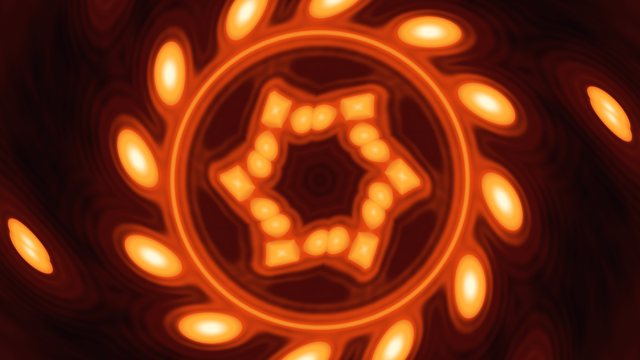
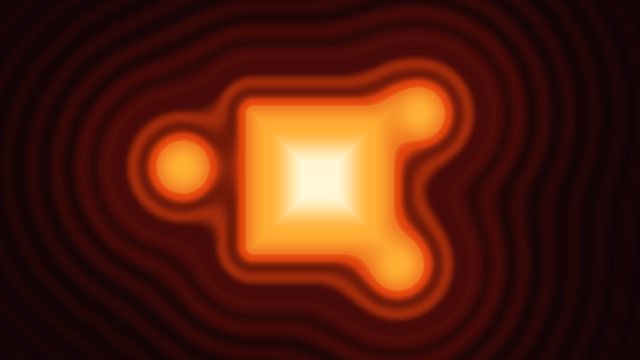
A Julia set glowing like metal in the kiln, its shape changing as the number that makes it walks round the edge of the Mandelbrot set, coloured by a smooth count of how quickly each point flies away, with a sound that plays the orbit of zero as an arpeggio.
· Shapes & Symmetry · Fragment shader
Teaches Complex numbers, Julia sets, smooth iteration colour
Builds on 01 · Flowing Color Field, 03 · Floating 3D Scene (rotation), 04 · Kaleidoscope (a plucked note)
Watch
The idea
Every pixel so far has been a point with an x and a y. This episode reads the same pair as one complex number, and then does something very simple to it, many times over: square it and add a fixed number c. Some points stay near the middle however often you do this. Others fly off. The points that never fly off make a Julia set, and its edge has detail at every scale, however far you zoom in.
How quickly a point flies off says how near it is to the set. Colouring by that count makes the set glow from outside. The plain count jumps in whole steps, so it comes out in bands; a small correction makes it smooth.
c is not fixed for long here. It walks round the edge of the Mandelbrot set, where Julia sets are most intricate, so the shape keeps changing. It is built in five steps, and each step is a shader you can run on its own.
Stage 1 · Squaring a complex number
A complex number is a pair (x, y), written x + iy, where i is a number whose square is -1. Adding two of them adds each half. Multiplying them out with i * i = -1 gives the square: (x * x - y * y, 2 * x * y). That is all csqr does.
What squaring does is easier to see than to read. Every number has a distance from zero and an angle. Squaring it squares the distance and doubles the angle. To show that, each pixel is coloured by the angle of its square. Going once round the centre, the square goes round twice, so each shade comes up twice. The rings are where the square's length is a whole number, and they crowd together further out, because the square grows faster than the distance. The unit circle is drawn on its own: one squared is still one, so squaring leaves it in place. Inside it numbers shrink when squared, and outside they grow.
The pixel's position is scaled so that the shorter side of the picture spans 3 * zoom units, and the picture turns slowly, by t * 0.08.
stage-1-squaring.metal
// Stage 1 · Squaring a complex number
// Every pixel is a complex number. Squaring it doubles its angle and squares its distance from the centre.

// @param speed 0.5 0.0 2.0 How fast the picture turns
// @param zoom 0.75 0.4 3.0 How much of the plane fits on screen: higher zooms out

constant float TAU = 6.2831853;

// A complex number is a pair (x, y), written x + iy, where i * i = -1.
// Its square is (x * x - y * y, 2 * x * y).
float2 csqr(float2 z) {
    return float2(z.x * z.x - z.y * z.y, 2.0 * z.x * z.y);
}

float2 rot(float2 p, float a) {
    float c = cos(a), s = sin(a);
    return float2(c * p.x - s * p.y, s * p.x + c * p.y);
}

float4 shade(float2 uv, constant Uniforms& u, constant Params& p) {
    float t = u.time * p.speed;
    float px = 3.0 * p.zoom / min(u.resolution.x, u.resolution.y);
    float2 z = rot((uv - 0.5) * u.resolution * px, t * 0.08);
    float2 w = csqr(z);
    // Colour by the square's angle: it runs round twice for once round the centre, so every colour shows up twice.
    float angle = fract(atan2(w.y, w.x) / TAU);
    // Rings where the square's length is a whole number: they crowd together further out, as the square grows faster.
    float ring = smoothstep(0.42, 0.48, abs(fract(length(w)) - 0.5));
    // The unit circle stays where it is: one squared is still one.
    float unit = smoothstep(2.0 * px, 0.0, abs(length(z) - 1.0));
    float3 ember = float3(1.0, 0.59, 0.2);
    float3 cream = float3(1.0, 0.95, 0.87);
    float3 col = ember * angle * angle + cream * (ring * 0.5 + unit);
    return float4(col, 1.0);
}
Stage 2 · Stay or escape
Now square the number and add c, again and again: z = csqr(z) + c, up to iterations times. Once a point is more than 2 from the centre, squaring always outgrows anything c can add, and the point flies off for good. So the loop stops as soon as dot(z, z) > 4. The points that never pass that line are the Julia set for this c, drawn in cream on black.
Each c gives a different set. juliaC moves c along the edge of the biggest part of the Mandelbrot set, the heart shape called the main cardioid. A point on its edge is w / 2 - w * w / 4, for w going once round the unit circle; at the default speed that takes a little under a minute. Julia sets for c near that edge are the most intricate. A little inside they fill in to whole shapes, and a little outside they break apart into dust. wander pushes c outwards and inwards, slowly back and forth, by up to 7% at its highest, so the picture passes through both.
stage-2-escape.metal14 new lines since stage 1
// Stage 2 · Stay or escape
// Square the number and add c, again and again. Some points fly away; the ones that never do make the Julia set.

// @param speed 0.5 0.0 2.0 How fast c walks round its path and the picture turns
// @param iterations 96.0 16.0 256.0 How many times each point is squared before it counts as staying
// @param zoom 0.75 0.4 3.0 How much of the plane fits on screen: higher zooms out
// @param wander 0.5 0.0 1.0 How far c strays inside and outside the edge, from whole shapes to scattered dust

float2 csqr(float2 z) {
    return float2(z.x * z.x - z.y * z.y, 2.0 * z.x * z.y);
}

float2 rot(float2 p, float a) {
    float c = cos(a), s = sin(a);
    return float2(c * p.x - s * p.y, s * p.x + c * p.y);
}

// The number added, c, walks round the edge of the Mandelbrot set's heart shape.
float2 juliaC(float t, float wander) {
    float a = t * 0.25 + 2.2;
    float2 w = float2(cos(a), sin(a));
    float2 c = 0.5 * w - 0.25 * csqr(w);
    return c * (1.0 + wander * 0.07 * sin(t * 0.43));
}

float4 shade(float2 uv, constant Uniforms& u, constant Params& p) {
    float t = u.time * p.speed;
    float px = 3.0 * p.zoom / min(u.resolution.x, u.resolution.y);
    float2 z = rot((uv - 0.5) * u.resolution * px, t * 0.08);
    float2 c = juliaC(t, p.wander);
    int n = int(clamp(p.iterations, 1.0, 256.0));
    bool escaped = false;
    for (int i = 0; i < n; i++) {
        z = csqr(z) + c;
        // Once a point is more than 2 from the centre, it flies off for good.
        if (dot(z, z) > 4.0) { escaped = true; break; }
    }
    // The points that stay make the Julia set, in cream on black.
    float3 col = escaped ? float3(0.02, 0.012, 0.02) : float3(1.0, 0.95, 0.87);
    return float4(col, 1.0);
}
8 lines from stage 1 that are gone
constant float TAU = 6.2831853;
⋯
    float2 w = csqr(z);
⋯
    float angle = fract(atan2(w.y, w.x) / TAU);
⋯
    float ring = smoothstep(0.42, 0.48, abs(fract(length(w)) - 0.5));
⋯
    float unit = smoothstep(2.0 * px, 0.0, abs(length(z) - 1.0));
    float3 ember = float3(1.0, 0.59, 0.2);
    float3 cream = float3(1.0, 0.95, 0.87);
    float3 col = ember * angle * angle + cream * (ring * 0.5 + unit);
Stage 3 · Counting the steps
The set alone is a thin, often broken shape. The points around it hold more: a point near the set takes many steps to escape, and a point far away escapes at once. This stage counts the steps each point took and colours it with the kiln palette from episode 1. The set itself stays dark, and the space around it heats up the closer it gets.
The count is a whole number, so the colour comes in steps, and you can see the bands around the set, each one step slower to escape than the one outside it.
stage-3-count.metal16 new lines since stage 2
// Stage 3 · Counting the steps
// Points near the set take longer to escape. Colour each by how many steps it took, and the set glows from outside.

// @param speed 0.5 0.0 2.0 How fast c walks round its path and the picture turns
// @param iterations 96.0 16.0 256.0 How many times each point is squared before it counts as staying
// @param zoom 0.75 0.4 3.0 How much of the plane fits on screen: higher zooms out
// @param wander 0.5 0.0 1.0 How far c strays inside and outside the edge, from whole shapes to scattered dust
// @param heat 0.5 0.0 1.0 Slides the palette from deep ember to white-hot

float2 csqr(float2 z) {
    return float2(z.x * z.x - z.y * z.y, 2.0 * z.x * z.y);
}

float2 rot(float2 p, float a) {
    float c = cos(a), s = sin(a);
    return float2(c * p.x - s * p.y, s * p.x + c * p.y);
}

float2 juliaC(float t, float wander) {
    float a = t * 0.25 + 2.2;
    float2 w = float2(cos(a), sin(a));
    float2 c = 0.5 * w - 0.25 * csqr(w);
    return c * (1.0 + wander * 0.07 * sin(t * 0.43));
}

// The kiln palette from episode 1.
float3 kiln(float t) {
    float3 c0 = float3(0.020, 0.012, 0.020);
    float3 c1 = float3(0.280, 0.040, 0.030);
    float3 c2 = float3(0.880, 0.260, 0.050);
    float3 c3 = float3(1.000, 0.680, 0.200);
    float3 c4 = float3(1.000, 0.970, 0.840);
    t = clamp(t, 0.0, 1.0);
    float3 c = mix(c0, c1, smoothstep(0.00, 0.22, t));
    c = mix(c, c2, smoothstep(0.22, 0.50, t));
    c = mix(c, c3, smoothstep(0.50, 0.76, t));
    return mix(c, c4, smoothstep(0.76, 1.00, t));
}

float4 shade(float2 uv, constant Uniforms& u, constant Params& p) {
    float t = u.time * p.speed;
    float px = 3.0 * p.zoom / min(u.resolution.x, u.resolution.y);
    float2 z = rot((uv - 0.5) * u.resolution * px, t * 0.08);
    float2 c = juliaC(t, p.wander);
    int n = int(clamp(p.iterations, 1.0, 256.0));
    float steps = 0.0;
    bool escaped = false;
    for (int i = 0; i < n; i++) {
        z = csqr(z) + c;
        if (dot(z, z) > 4.0) { escaped = true; break; }
        steps += 1.0;
    }
    // The set itself stays dark. Outside, the more steps a point took, the hotter it is.
    // The count is a whole number, so the colour comes in steps: bands around the set.
    float level = escaped ? 0.9 * pow(clamp(steps / 40.0, 0.0, 1.0), 0.6) : 0.06;
    return float4(kiln(level + (p.heat - 0.5) * 0.5), 1.0);
}
2 lines from stage 2 that are gone
    float3 col = escaped ? float3(0.02, 0.012, 0.02) : float3(1.0, 0.95, 0.87);
    return float4(col, 1.0);
Stage 4 · A smooth count
The bands come from rounding. A point that only just passed the line in four steps and one that nearly made it in three both count as four. How far past the line it landed says which.
Far from the centre, adding c hardly matters, and each step simply squares |z|. Squaring doubles log2|z|, so log2(log2|z|) goes up by exactly one each step. Taking it away from the count, steps + 1 - log2(log2(length(z))), joins the steps into one smooth slope. For that to hold, the point has to be well out when the loop stops, so the limit is raised from 2 to 256.
bands mixes the plain count back in, with floor, to compare the two.
stage-4-smooth.metal5 new lines since stage 3
// Stage 4 · A smooth count
// How far past the edge a point landed tells how close it came to taking one step more. Use it to join the bands.

// @param speed 0.5 0.0 2.0 How fast c walks round its path and the picture turns
// @param iterations 96.0 16.0 256.0 How many times each point is squared before it counts as staying
// @param zoom 0.75 0.4 3.0 How much of the plane fits on screen: higher zooms out
// @param wander 0.5 0.0 1.0 How far c strays inside and outside the edge, from whole shapes to scattered dust
// @param bands 0.0 0.0 1.0 Brings back the steps of the plain iteration count
// @param heat 0.5 0.0 1.0 Slides the palette from deep ember to white-hot

float2 csqr(float2 z) {
    return float2(z.x * z.x - z.y * z.y, 2.0 * z.x * z.y);
}

float2 rot(float2 p, float a) {
    float c = cos(a), s = sin(a);
    return float2(c * p.x - s * p.y, s * p.x + c * p.y);
}

float2 juliaC(float t, float wander) {
    float a = t * 0.25 + 2.2;
    float2 w = float2(cos(a), sin(a));
    float2 c = 0.5 * w - 0.25 * csqr(w);
    return c * (1.0 + wander * 0.07 * sin(t * 0.43));
}

// The kiln palette from episode 1.
float3 kiln(float t) {
    float3 c0 = float3(0.020, 0.012, 0.020);
    float3 c1 = float3(0.280, 0.040, 0.030);
    float3 c2 = float3(0.880, 0.260, 0.050);
    float3 c3 = float3(1.000, 0.680, 0.200);
    float3 c4 = float3(1.000, 0.970, 0.840);
    t = clamp(t, 0.0, 1.0);
    float3 c = mix(c0, c1, smoothstep(0.00, 0.22, t));
    c = mix(c, c2, smoothstep(0.22, 0.50, t));
    c = mix(c, c3, smoothstep(0.50, 0.76, t));
    return mix(c, c4, smoothstep(0.76, 1.00, t));
}

float4 shade(float2 uv, constant Uniforms& u, constant Params& p) {
    float t = u.time * p.speed;
    float px = 3.0 * p.zoom / min(u.resolution.x, u.resolution.y);
    float2 z = rot((uv - 0.5) * u.resolution * px, t * 0.08);
    float2 c = juliaC(t, p.wander);
    int n = int(clamp(p.iterations, 1.0, 256.0));
    float steps = 0.0;
    bool escaped = false;
    for (int i = 0; i < n; i++) {
        z = csqr(z) + c;
        // Let points run out to 256 before stopping.
        if (dot(z, z) > 256.0 * 256.0) { escaped = true; break; }
        steps += 1.0;
    }
    if (!escaped) return float4(kiln(0.06 + (p.heat - 0.5) * 0.5), 1.0);
    // Far out, each step squares |z|, so log2(log2|z|) goes up by one per step.
    // Take it away from the count and the steps join into one smooth slope.
    float smoothN = steps + 1.0 - log2(log2(length(z)));
    float stepped = mix(smoothN, floor(smoothN), p.bands);
    float level = 0.9 * pow(clamp(stepped / 40.0, 0.0, 1.0), 0.6);
    return float4(kiln(level + (p.heat - 0.5) * 0.5), 1.0);
}
2 lines from stage 3 that are gone
        if (dot(z, z) > 4.0) { escaped = true; break; }
⋯
    float level = escaped ? 0.9 * pow(clamp(steps / 40.0, 0.0, 1.0), 0.6) : 0.06;
Stage 5 · Fractal glow
The last step adds two things the loop can measure as it goes.
- A glowing edge. Alongside
z, the loop keepsdz: how fastzchanges as the starting point moves. Squaringzmultiplies that by2 * zeach step. From how far the point flew and how fast it grew,0.5 * |z| * log|z| / |dz|estimates how far the pixel is from the set. Within a few pixels of the edge it glows, as a thin line of even width, however fine the detail.glowsets how bright the line is and how far it spreads. - Embers inside. A point inside the set never escapes, so it has no count. Instead the loop keeps how close its orbit came to the centre,
trap, and the nearer it came, the brighter the point. That lights the inside with soft embers around the places orbits keep returning to.
heat slides the whole palette, from deep ember to white-hot.
the kiln palette and shade(), from the finished shader
float3 kiln(float t) {
    float3 c0 = float3(0.020, 0.012, 0.020);
    float3 c1 = float3(0.280, 0.040, 0.030);
    float3 c2 = float3(0.880, 0.260, 0.050);
    float3 c3 = float3(1.000, 0.680, 0.200);
    float3 c4 = float3(1.000, 0.970, 0.840);
    t = clamp(t, 0.0, 1.0);
    float3 c = mix(c0, c1, smoothstep(0.00, 0.22, t));
    c = mix(c, c2, smoothstep(0.22, 0.50, t));
    c = mix(c, c3, smoothstep(0.50, 0.76, t));
    return mix(c, c4, smoothstep(0.76, 1.00, t));
}

float4 shade(float2 uv, constant Uniforms& u, constant Params& p) {
    float t = u.time * p.speed;
    float px = 3.0 * p.zoom / min(u.resolution.x, u.resolution.y);
    float2 z = rot((uv - 0.5) * u.resolution * px, t * 0.08);
    float2 c = juliaC(t, p.wander);
    int n = int(clamp(p.iterations, 1.0, 256.0));

    // The loop also keeps dz, how fast z changes as the starting point moves. Each step multiplies it by 2 * z.
    float2 dz = float2(1.0, 0.0);
    // And it keeps trap, how close the orbit comes to the centre.
    float trap = 1e9;
    float steps = 0.0;
    bool escaped = false;
    for (int i = 0; i < n; i++) {
        dz = 2.0 * cmul(z, dz);
        z = csqr(z) + c;
        trap = min(trap, length(z));
        if (dot(z, z) > 256.0 * 256.0) { escaped = true; break; }
        steps += 1.0;
    }

    if (!escaped) {
        // Inside the set, the nearer the orbit came to the centre, the hotter the embers.
        float ember = exp(-trap * 4.0);
        float level = 0.06 + 0.42 * ember;
        return float4(kiln(level + (p.heat - 0.5) * 0.5), 1.0);
    }

    // The smooth count: log2(log2|z|) grows by one with each step once |z| is large, so taking it away from the
    // count joins the steps up into a smooth slope.
    float r = length(z);
    float smoothN = steps + 1.0 - log2(log2(r));
    float stepped = mix(smoothN, floor(smoothN), p.bands);
    float level = 0.9 * pow(clamp(stepped / 40.0, 0.0, 1.0), 0.6);

    // The distance estimate: how far this pixel is from the set, from |z| and how fast it grew. Within a few pixels
    // of the edge, it glows.
    float dist = 0.5 * r * log(r) / max(length(dz), 1e-20);
    float edge = exp(-dist / (px * (1.0 + 4.0 * p.glow)));
    level = max(level, edge * (0.2 + 0.8 * p.glow));

    return float4(kiln(level + (p.heat - 0.5) * 0.5), 1.0);
}
episode-07-fractal-glow.metal, the whole file66 new lines since stage 4
// Ray Kiln · Episode 7 · Fractal Glow
//
// @episode 7 Fractal Glow
// @length 60
// @variation 30
// @variations 1,2,4,6,7,8,12
// @still 40.0
// @teaches Complex numbers, Julia sets, smooth iteration colour
// @category Fragment
// @tags complex numbers, julia sets, fractals, smooth iteration count, distance estimation, procedural sound
// @final Fractal glow | Colour by the smooth count, let the edge of the set glow, and light the inside with the orbits.
//
// A Julia set: every pixel is a complex number, squared and added to over and over, and coloured by how quickly it
// flies away. The number added, c, walks slowly round the edge of the Mandelbrot set, so the shape keeps changing.
// Each @param line below becomes a slider in the host app and a row in the page's parameters table:
//   // @param name default min max description

// @param speed 0.5 0.0 2.0 How fast c walks round its path and the picture turns
// @param iterations 96.0 16.0 256.0 How many times each point is squared before it counts as staying
// @param zoom 0.75 0.4 3.0 How much of the plane fits on screen: higher zooms out
// @param wander 0.5 0.0 1.0 How far c strays inside and outside the edge, from whole shapes to scattered dust
// @param glow 0.5 0.0 1.0 How brightly the edge of the set glows
// @param bands 0.0 0.0 1.0 Brings back the steps of the plain iteration count
// @param heat 0.5 0.0 1.0 Slides the palette from deep ember to white-hot
// @param volume 0.8 0.0 1.0 Loudness of the sound

constant float TAU = 6.2831853;

// ---- Complex numbers -------------------------------------------------------------------------------------------
// A complex number is a pair (x, y), written x + iy, where i * i = -1. Adding works on each half; multiplying turns
// and stretches: the angles add and the lengths multiply. Squaring a number doubles its angle and squares its length.

float2 cmul(float2 a, float2 b) {
    return float2(a.x * b.x - a.y * b.y, a.x * b.y + a.y * b.x);
}

float2 csqr(float2 z) {
    return float2(z.x * z.x - z.y * z.y, 2.0 * z.x * z.y);
}

// Episode 3's rotation.
float2 rot(float2 p, float a) {
    float c = cos(a), s = sin(a);
    return float2(c * p.x - s * p.y, s * p.x + c * p.y);
}

// ---- The path of c ---------------------------------------------------------------------------------------------
// The Mandelbrot set is every c whose Julia set holds together. Its biggest part is a heart shape, the cardioid, and
// the edge of it is w / 2 - w * w / 4 for w going once round the unit circle. Julia sets for c on that edge are the
// most intricate; a little inside they fill in, a little outside they break into dust. The sound uses this too.

float2 juliaC(float t, float wander) {
    float a = t * 0.25 + 2.2;
    float2 w = float2(cos(a), sin(a));
    float2 c = 0.5 * w - 0.25 * csqr(w);
    return c * (1.0 + wander * 0.07 * sin(t * 0.43));
}

// ---- The kiln palette from episode 1 ---------------------------------------------------------------------------

float3 kiln(float t) {
    float3 c0 = float3(0.020, 0.012, 0.020);
    float3 c1 = float3(0.280, 0.040, 0.030);
    float3 c2 = float3(0.880, 0.260, 0.050);
    float3 c3 = float3(1.000, 0.680, 0.200);
    float3 c4 = float3(1.000, 0.970, 0.840);
    t = clamp(t, 0.0, 1.0);
    float3 c = mix(c0, c1, smoothstep(0.00, 0.22, t));
    c = mix(c, c2, smoothstep(0.22, 0.50, t));
    c = mix(c, c3, smoothstep(0.50, 0.76, t));
    return mix(c, c4, smoothstep(0.76, 1.00, t));
}

float4 shade(float2 uv, constant Uniforms& u, constant Params& p) {
    float t = u.time * p.speed;
    float px = 3.0 * p.zoom / min(u.resolution.x, u.resolution.y);
    float2 z = rot((uv - 0.5) * u.resolution * px, t * 0.08);
    float2 c = juliaC(t, p.wander);
    int n = int(clamp(p.iterations, 1.0, 256.0));

    // The loop also keeps dz, how fast z changes as the starting point moves. Each step multiplies it by 2 * z.
    float2 dz = float2(1.0, 0.0);
    // And it keeps trap, how close the orbit comes to the centre.
    float trap = 1e9;
    float steps = 0.0;
    bool escaped = false;
    for (int i = 0; i < n; i++) {
        dz = 2.0 * cmul(z, dz);
        z = csqr(z) + c;
        trap = min(trap, length(z));
        if (dot(z, z) > 256.0 * 256.0) { escaped = true; break; }
        steps += 1.0;
    }

    if (!escaped) {
        // Inside the set, the nearer the orbit came to the centre, the hotter the embers.
        float ember = exp(-trap * 4.0);
        float level = 0.06 + 0.42 * ember;
        return float4(kiln(level + (p.heat - 0.5) * 0.5), 1.0);
    }

    // The smooth count: log2(log2|z|) grows by one with each step once |z| is large, so taking it away from the
    // count joins the steps up into a smooth slope.
    float r = length(z);
    float smoothN = steps + 1.0 - log2(log2(r));
    float stepped = mix(smoothN, floor(smoothN), p.bands);
    float level = 0.9 * pow(clamp(stepped / 40.0, 0.0, 1.0), 0.6);

    // The distance estimate: how far this pixel is from the set, from |z| and how fast it grew. Within a few pixels
    // of the edge, it glows.
    float dist = 0.5 * r * log(r) / max(length(dz), 1e-20);
    float edge = exp(-dist / (px * (1.0 + 4.0 * p.glow)));
    level = max(level, edge * (0.2 + 0.8 * p.glow));

    return float4(kiln(level + (p.heat - 0.5) * 0.5), 1.0);
}

// ---- Sound -----------------------------------------------------------------------------------------------------
// The sound follows the orbit of zero, the point every Julia set is built around: start at 0 and keep squaring and
// adding c, as the picture does for every pixel. Each of the first eight steps is a note of A minor pentatonic, picked
// by the angle of the point and heard from where it lies left or right, played in turn as an arpeggio. When c strays
// outside the set, the orbit flies off and its later notes fall silent, so the music thins as the picture turns to
// dust. Under it a low A hums, brighter as more of the orbit stays.

// Episode 4's plucked note: a quick rise, then a fall, with a little of its octave.
float pluck(float f, float age) {
    float env = (1.0 - exp(-age * 300.0)) * exp(-age * 9.0);
    return (sin(TAU * f * age) + 0.3 * sin(2.0 * TAU * f * age)) * env;
}

// How much of the orbit of zero stays near, from 0 to 1: all of it while c is in the set.
float orbitStay(float t, constant Params& p) {
    float2 c = juliaC(t * p.speed, p.wander);
    float2 z = float2(0.0);
    float stay = 0.0;
    for (int i = 0; i < 16; i++) {
        z = csqr(z) + c;
        if (dot(z, z) > 4.0) break;
        stay += 1.0 / 16.0;
    }
    return stay;
}

float2 sound(float t, constant Params& p) {
    const float scale[10] = { 220.00, 261.63, 293.66, 329.63, 392.00, 440.00, 523.25, 587.33, 659.25, 783.99 };
    const float rate = 4.0;

    float2 notes = float2(0.0);
    // The note sounding now and the three before it, still fading.
    float now = floor(t * rate);
    for (int back = 0; back < 4; back++) {
        float idx = now - float(back);
        if (idx < 0.0) continue;
        float start = idx / rate;
        float age = t - start;
        int k = int(fmod(idx, 8.0));
        // The orbit of zero for c as it was when the note started, k + 1 steps in.
        float2 c = juliaC(start * p.speed, p.wander);
        float2 z = float2(0.0);
        float alive = 1.0;
        for (int i = 0; i <= k; i++) {
            z = csqr(z) + c;
            if (dot(z, z) > 4.0) { alive = 0.0; break; }
        }
        float a = atan2(z.y, z.x) / TAU + 0.5;
        float f = scale[int(clamp(floor(a * 10.0), 0.0, 9.0))];
        float pan = 0.5 + 0.4 * clamp(z.x, -1.0, 1.0);
        float s = pluck(f, age) * alive * 0.22;
        notes += float2(1.0 - pan, pan) * s;
    }

    // How much of the orbit of zero stays near, measured four times a second and blended between, so it never jumps.
    float q = t * 4.0;
    float stay = mix(orbitStay(floor(q) / 4.0, p), orbitStay(floor(q) / 4.0 + 0.25, p), fract(q));
    float b = 0.15 + 0.6 * stay;
    float2 low = float2(sin(TAU * 55.0 * 1.002 * t) + b * 0.5 * sin(TAU * 110.0 * 1.002 * t) + b * 0.25 * sin(TAU * 165.0 * t),
                        sin(TAU * 55.0 * 0.998 * t) + b * 0.5 * sin(TAU * 110.0 * 0.998 * t + 0.3) + b * 0.25 * sin(TAU * 165.0 * t + 0.6))
                 * 0.12;

    float fadeIn = smoothstep(0.0, 2.0, t);
    return tanh((notes + low) * 2.0) * 0.58 * fadeIn * p.volume;
}
2 lines from stage 4 that are gone
    if (!escaped) return float4(kiln(0.06 + (p.heat - 0.5) * 0.5), 1.0);
⋯
    float smoothN = steps + 1.0 - log2(log2(length(z)));
The sound
The sound follows one orbit: the orbit of zero, using the same juliaC as the picture. Zero is the point every Julia set is built around; when its orbit stays, the set is in one piece, and when it flies off, the set is dust.
Four times a second a note is played, round a cycle of eight. Note k of the cycle is the point zero reaches after k + 1 steps, with c as it was when the note began. Its angle picks one of ten notes of A minor pentatonic, from 220 to 784 Hz, and it is heard left or right by where it lies. Each note is a pluck, as in episode 4: a quick rise, then a fall, with a little of its octave, and four of them overlap as they fade. When c strays outside the set, the orbit passes 2 and flies off, and from there on the cycle's notes are silent, so the music thins out just as the picture breaks into dust.
Under it a low A hums at 55 Hz, a few cents apart in each ear, with its next two harmonics. The harmonics grow louder the more of the first 16 steps of the orbit stay within 2. That share is measured four times a second and blended between, so the hum never jumps. Everything goes through tanh to round off the loud moments and fades in over the first two seconds. The levels at the defaults are a peak of about -11 dBFS and an average (RMS) of about -21 dBFS.
Try this
- Set
bandsto 1 to see the plain count's steps, then slide it back to 0 and watch them melt. - Set
iterationsto 16: points that need longer are counted as staying, and the set swells and loses its fine edge. - Set
wanderto 0 to keepcon the edge, then to 1 and wait for the moment the shape breaks into dust and the arpeggio thins. - Set
glowto 1 andzoomto 0.4 to look closely at the glowing edge. - Hold
cstill: inshade, replacejuliaC(t, p.wander)withfloat2(-0.8, 0.156). Don't forget the sound: it callsjuliaCtoo.
Parameters
Pick a parameter and drag the slider. Each frame is the same moment of the shader, with only that one setting changed.
| Parameter | Default | Range | What it does |
|---|---|---|---|
speed | 0.5 | 0.0 to 2.0 | How fast c walks round its path and the picture turns |
iterations | 96.0 | 16.0 to 256.0 | How many times each point is squared before it counts as staying |
zoom | 0.75 | 0.4 to 3.0 | How much of the plane fits on screen: higher zooms out |
wander | 0.5 | 0.0 to 1.0 | How far c strays inside and outside the edge, from whole shapes to scattered dust |
glow | 0.5 | 0.0 to 1.0 | How brightly the edge of the set glows |
bands | 0.0 | 0.0 to 1.0 | Brings back the steps of the plain iteration count |
heat | 0.5 | 0.0 to 1.0 | Slides the palette from deep ember to white-hot |
volume | 0.8 | 0.0 to 1.0 | Loudness of the sound |
More from this shader
The same shader 7 more ways: each from a different moment, with different settings, one after another. Each chapter below says which settings moved most, then lists them all.
Wallpapers
A still from the shader, rendered at full size for a desktop or a phone screen. Free to use as your wallpaper.


Clips to post
Fifteen seconds of the shader with its sound, sized for posting: square for feeds, vertical for stories and short videos. Free to post, ideally with a link to this page.

Made from this episode
The full source
This is the whole episode: the picture, the parameters and the sound.
episode-07-fractal-glow.metal
// Ray Kiln · Episode 7 · Fractal Glow
//
// @episode 7 Fractal Glow
// @length 60
// @variation 30
// @variations 1,2,4,6,7,8,12
// @still 40.0
// @teaches Complex numbers, Julia sets, smooth iteration colour
// @category Fragment
// @tags complex numbers, julia sets, fractals, smooth iteration count, distance estimation, procedural sound
// @final Fractal glow | Colour by the smooth count, let the edge of the set glow, and light the inside with the orbits.
//
// A Julia set: every pixel is a complex number, squared and added to over and over, and coloured by how quickly it
// flies away. The number added, c, walks slowly round the edge of the Mandelbrot set, so the shape keeps changing.
// Each @param line below becomes a slider in the host app and a row in the page's parameters table:
//   // @param name default min max description

// @param speed 0.5 0.0 2.0 How fast c walks round its path and the picture turns
// @param iterations 96.0 16.0 256.0 How many times each point is squared before it counts as staying
// @param zoom 0.75 0.4 3.0 How much of the plane fits on screen: higher zooms out
// @param wander 0.5 0.0 1.0 How far c strays inside and outside the edge, from whole shapes to scattered dust
// @param glow 0.5 0.0 1.0 How brightly the edge of the set glows
// @param bands 0.0 0.0 1.0 Brings back the steps of the plain iteration count
// @param heat 0.5 0.0 1.0 Slides the palette from deep ember to white-hot
// @param volume 0.8 0.0 1.0 Loudness of the sound

constant float TAU = 6.2831853;

// ---- Complex numbers -------------------------------------------------------------------------------------------
// A complex number is a pair (x, y), written x + iy, where i * i = -1. Adding works on each half; multiplying turns
// and stretches: the angles add and the lengths multiply. Squaring a number doubles its angle and squares its length.

float2 cmul(float2 a, float2 b) {
    return float2(a.x * b.x - a.y * b.y, a.x * b.y + a.y * b.x);
}

float2 csqr(float2 z) {
    return float2(z.x * z.x - z.y * z.y, 2.0 * z.x * z.y);
}

// Episode 3's rotation.
float2 rot(float2 p, float a) {
    float c = cos(a), s = sin(a);
    return float2(c * p.x - s * p.y, s * p.x + c * p.y);
}

// ---- The path of c ---------------------------------------------------------------------------------------------
// The Mandelbrot set is every c whose Julia set holds together. Its biggest part is a heart shape, the cardioid, and
// the edge of it is w / 2 - w * w / 4 for w going once round the unit circle. Julia sets for c on that edge are the
// most intricate; a little inside they fill in, a little outside they break into dust. The sound uses this too.

float2 juliaC(float t, float wander) {
    float a = t * 0.25 + 2.2;
    float2 w = float2(cos(a), sin(a));
    float2 c = 0.5 * w - 0.25 * csqr(w);
    return c * (1.0 + wander * 0.07 * sin(t * 0.43));
}

// ---- The kiln palette from episode 1 ---------------------------------------------------------------------------

float3 kiln(float t) {
    float3 c0 = float3(0.020, 0.012, 0.020);
    float3 c1 = float3(0.280, 0.040, 0.030);
    float3 c2 = float3(0.880, 0.260, 0.050);
    float3 c3 = float3(1.000, 0.680, 0.200);
    float3 c4 = float3(1.000, 0.970, 0.840);
    t = clamp(t, 0.0, 1.0);
    float3 c = mix(c0, c1, smoothstep(0.00, 0.22, t));
    c = mix(c, c2, smoothstep(0.22, 0.50, t));
    c = mix(c, c3, smoothstep(0.50, 0.76, t));
    return mix(c, c4, smoothstep(0.76, 1.00, t));
}

float4 shade(float2 uv, constant Uniforms& u, constant Params& p) {
    float t = u.time * p.speed;
    float px = 3.0 * p.zoom / min(u.resolution.x, u.resolution.y);
    float2 z = rot((uv - 0.5) * u.resolution * px, t * 0.08);
    float2 c = juliaC(t, p.wander);
    int n = int(clamp(p.iterations, 1.0, 256.0));

    // The loop also keeps dz, how fast z changes as the starting point moves. Each step multiplies it by 2 * z.
    float2 dz = float2(1.0, 0.0);
    // And it keeps trap, how close the orbit comes to the centre.
    float trap = 1e9;
    float steps = 0.0;
    bool escaped = false;
    for (int i = 0; i < n; i++) {
        dz = 2.0 * cmul(z, dz);
        z = csqr(z) + c;
        trap = min(trap, length(z));
        if (dot(z, z) > 256.0 * 256.0) { escaped = true; break; }
        steps += 1.0;
    }

    if (!escaped) {
        // Inside the set, the nearer the orbit came to the centre, the hotter the embers.
        float ember = exp(-trap * 4.0);
        float level = 0.06 + 0.42 * ember;
        return float4(kiln(level + (p.heat - 0.5) * 0.5), 1.0);
    }

    // The smooth count: log2(log2|z|) grows by one with each step once |z| is large, so taking it away from the
    // count joins the steps up into a smooth slope.
    float r = length(z);
    float smoothN = steps + 1.0 - log2(log2(r));
    float stepped = mix(smoothN, floor(smoothN), p.bands);
    float level = 0.9 * pow(clamp(stepped / 40.0, 0.0, 1.0), 0.6);

    // The distance estimate: how far this pixel is from the set, from |z| and how fast it grew. Within a few pixels
    // of the edge, it glows.
    float dist = 0.5 * r * log(r) / max(length(dz), 1e-20);
    float edge = exp(-dist / (px * (1.0 + 4.0 * p.glow)));
    level = max(level, edge * (0.2 + 0.8 * p.glow));

    return float4(kiln(level + (p.heat - 0.5) * 0.5), 1.0);
}

// ---- Sound -----------------------------------------------------------------------------------------------------
// The sound follows the orbit of zero, the point every Julia set is built around: start at 0 and keep squaring and
// adding c, as the picture does for every pixel. Each of the first eight steps is a note of A minor pentatonic, picked
// by the angle of the point and heard from where it lies left or right, played in turn as an arpeggio. When c strays
// outside the set, the orbit flies off and its later notes fall silent, so the music thins as the picture turns to
// dust. Under it a low A hums, brighter as more of the orbit stays.

// Episode 4's plucked note: a quick rise, then a fall, with a little of its octave.
float pluck(float f, float age) {
    float env = (1.0 - exp(-age * 300.0)) * exp(-age * 9.0);
    return (sin(TAU * f * age) + 0.3 * sin(2.0 * TAU * f * age)) * env;
}

// How much of the orbit of zero stays near, from 0 to 1: all of it while c is in the set.
float orbitStay(float t, constant Params& p) {
    float2 c = juliaC(t * p.speed, p.wander);
    float2 z = float2(0.0);
    float stay = 0.0;
    for (int i = 0; i < 16; i++) {
        z = csqr(z) + c;
        if (dot(z, z) > 4.0) break;
        stay += 1.0 / 16.0;
    }
    return stay;
}

float2 sound(float t, constant Params& p) {
    const float scale[10] = { 220.00, 261.63, 293.66, 329.63, 392.00, 440.00, 523.25, 587.33, 659.25, 783.99 };
    const float rate = 4.0;

    float2 notes = float2(0.0);
    // The note sounding now and the three before it, still fading.
    float now = floor(t * rate);
    for (int back = 0; back < 4; back++) {
        float idx = now - float(back);
        if (idx < 0.0) continue;
        float start = idx / rate;
        float age = t - start;
        int k = int(fmod(idx, 8.0));
        // The orbit of zero for c as it was when the note started, k + 1 steps in.
        float2 c = juliaC(start * p.speed, p.wander);
        float2 z = float2(0.0);
        float alive = 1.0;
        for (int i = 0; i <= k; i++) {
            z = csqr(z) + c;
            if (dot(z, z) > 4.0) { alive = 0.0; break; }
        }
        float a = atan2(z.y, z.x) / TAU + 0.5;
        float f = scale[int(clamp(floor(a * 10.0), 0.0, 9.0))];
        float pan = 0.5 + 0.4 * clamp(z.x, -1.0, 1.0);
        float s = pluck(f, age) * alive * 0.22;
        notes += float2(1.0 - pan, pan) * s;
    }

    // How much of the orbit of zero stays near, measured four times a second and blended between, so it never jumps.
    float q = t * 4.0;
    float stay = mix(orbitStay(floor(q) / 4.0, p), orbitStay(floor(q) / 4.0 + 0.25, p), fract(q));
    float b = 0.15 + 0.6 * stay;
    float2 low = float2(sin(TAU * 55.0 * 1.002 * t) + b * 0.5 * sin(TAU * 110.0 * 1.002 * t) + b * 0.25 * sin(TAU * 165.0 * t),
                        sin(TAU * 55.0 * 0.998 * t) + b * 0.5 * sin(TAU * 110.0 * 0.998 * t + 0.3) + b * 0.25 * sin(TAU * 165.0 * t + 0.6))
                 * 0.12;

    float fadeIn = smoothstep(0.0, 2.0, t);
    return tanh((notes + low) * 2.0) * 0.58 * fadeIn * p.volume;
}
Running it in your own project
Every Ray Kiln shader is the same shape. The standalone download above is the shader with the small wrapper around it that the Ray Kiln host adds, so it compiles with the ordinary Metal compiler and runs in your own app. It defines three entry points: rk_vertex (a full-screen triangle), rk_fragment (calls the shader's shade) and, for shaders with sound, the compute kernel rk_sound.
To draw it, pass the uniforms at fragment buffer 0 and the parameter values at buffer 1, in the order they are declared:
Drawing it, in Swift
struct Uniforms {
var resolution: SIMD2<Float>
var time: Float
var timeDelta: Float
var mouse: SIMD2<Float>
var frame: UInt32
var pad: UInt32 = 0
}
let library = try device.makeLibrary(source: standaloneSource, options: nil)
let descriptor = MTLRenderPipelineDescriptor()
descriptor.vertexFunction = library.makeFunction(name: "rk_vertex")
descriptor.fragmentFunction = library.makeFunction(name: "rk_fragment")
descriptor.colorAttachments[0].pixelFormat = .bgra8Unorm
let pipeline = try device.makeRenderPipelineState(descriptor: descriptor)
// Each frame, inside a render pass:
var uniforms = Uniforms(resolution: size, time: time, timeDelta: dt, mouse: mouse, frame: frame)
var params: [Float] = [0.5, 96.0, 0.75, 0.5, 0.5, 0.0, 0.5, 0.8] // the @param defaults, in the order they are declared
encoder.setRenderPipelineState(pipeline)
encoder.setFragmentBytes(&uniforms, length: MemoryLayout<Uniforms>.stride, index: 0)
encoder.setFragmentBytes(¶ms, length: params.count * MemoryLayout<Float>.stride, index: 1)
encoder.drawPrimitives(type: .triangle, vertexStart: 0, vertexCount: 3)Time is in seconds, mouse is in pixels from the bottom left, and uv in the shader runs 0 to 1 with (0, 0) at the bottom left. Write the output as sRGB: the shader's numbers go to the screen as they are.
More in Shapes & Symmetry
Press ? for keyboard shortcuts.